
Quanser Mechatronics Sensors Trainer USB Ultrasonic Distance Page
The Quanser Mechatronics Sensors Trainer USB Ultrasonic Distance Page plots the output of the CH201-00ABR ultrasonic distance sensor. However, this sensor is more complicated than most of the other sensors because it supports multiple services. In particular, it supports a distance service and an IQ service, or being off. By default, this sensor is off because it is higher power. In this case, the plot looks empty as shown below:
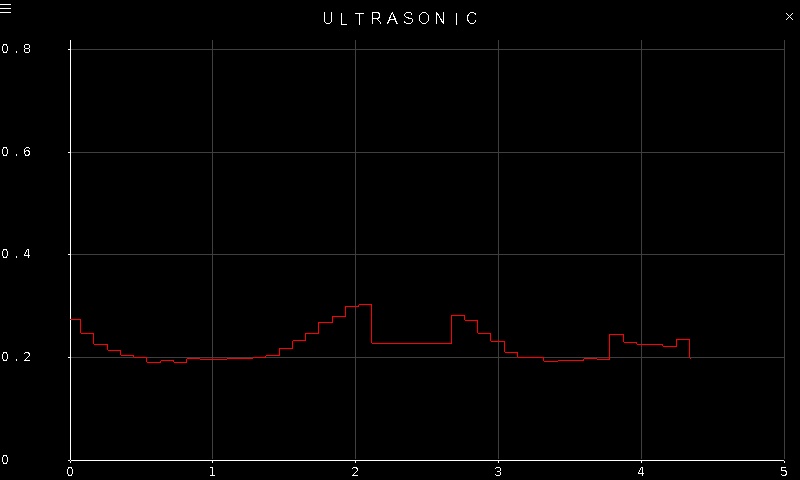
When the distance service is active, it plots the distance in meters from the nearest object, with millimeter accuracy. Note that the ultrasonic sensor has relatively wide field of view. Hence, a more intuitive response can be received when first experimenting with the sensor by pointing it at a wall. A sample plot of the distance is pictured below:
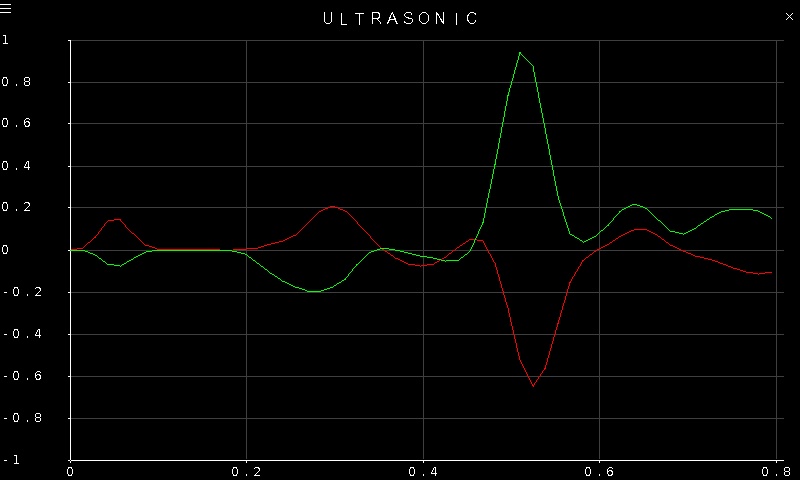
When the IQ service is active, it plots the in-phase and quadrature components of the ultrasound signal. It is a representation of the raw signals that the transducer receives. A sample plot is illustrated below, with the in-phase component in red and the quadrature component in green.
To go back to the Sensors page, tap on the close button in the top, right corner of the page. To change the sensor parameters, tap on the hamburger menu in the top, left corner of the page. This will open the settings screen described in the section below, where the service may be configured, as well as the range and sampling interval.
The readings from the sensor have millimeter accuracy and up to five meter range. The plot axes are fixed but are adjusted to match the configured range of the ultrasonic sensor.
Settings
The settings page is illustrated below:
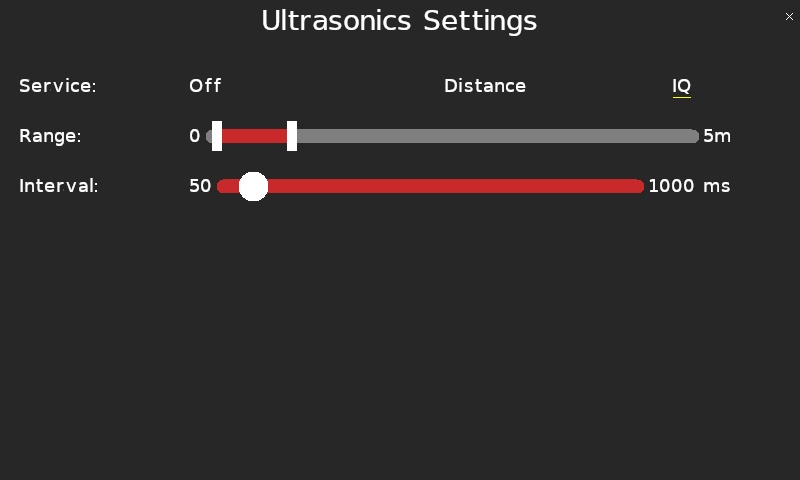
The ultrasonic service to enable is configured via the Service parameter. Selecting Off will turn the ultrasonic sensor off. Selecting Distance or IQ will configure the distance or IQ service respectively.
For either the distance or IQ service, the range of the ultrasonic sensor can be configured using the Range parameter. Both the start of the range and the end of the range may be configured using the dual thumb slider. The first thumb represents the start of the range and the last thumb represents the end of the range. Each thumb may be moved independently like a regular slider thumb.
Similarly, the sampling interval for either service may be configured using the Interval setting. Valid sampling intervals range from 50 milliseconds to 1000 milliseconds.
Tap the close button in the top, right of the page to apply the new settings and return to the plot.
Copyright ©2026 Quanser Inc. This page was generated 2026-05-13. Submit feedback to Quanser about this page.
Link to this page.