
Quanser Mechatronics Sensors Trainer USB Joystick Page
The Quanser Mechatronics Sensors Trainer USB Joystick Page plots the X and Y axes of the analog joystick as a fraction between -1 and +1, as well as the joystick button. (The joystick itself is a button which may be pressed). The page is displayed below with a sample plot, showing the joystick X axis in red, the Y axis in green and the push button in blue.
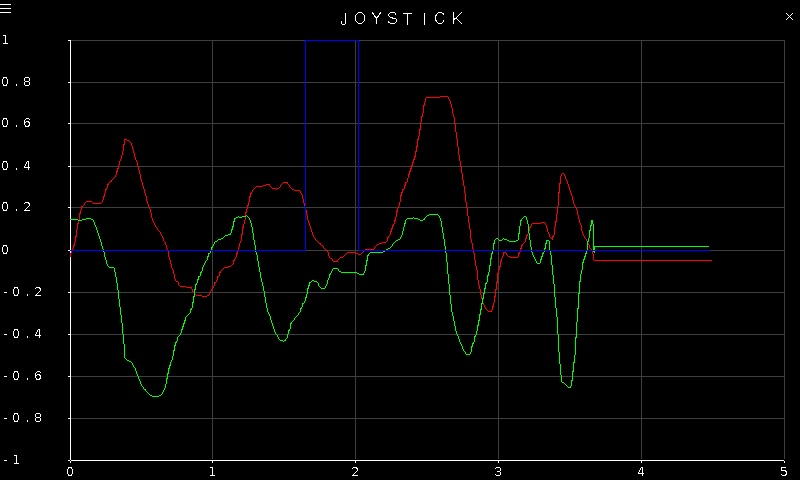
To go back to the Sensors page, tap on the close button in the top, right corner of the page. To change the sensor parameters, tap on the hamburger menu in the top, left corner of the page. This will open the settings screen described in the section below.
The voltages from the analog joystick are read using a 16 bit ADC. The plot axes are fixed.
Settings
The settings page is illustrated below.
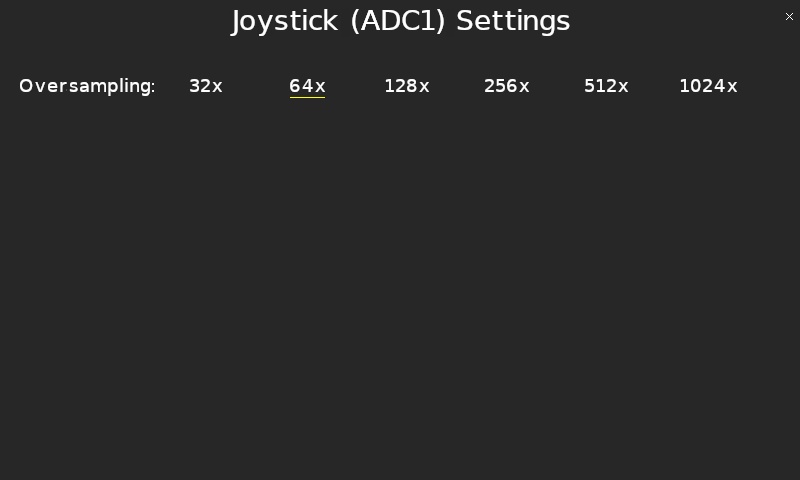
Since analog measurements can be noisy, the ADC supports oversampling of the signal. The Oversampling parameter allows the desired oversampling to be selected, from 32X to 1024X oversampling. Higher oversampling will reduce the noise but will add more lag to the measurement.
Tap the close button in the top, right of the page to apply the new settings and return to the plot.
Copyright ©2026 Quanser Inc. This page was generated 2026-05-13. Submit feedback to Quanser about this page.
Link to this page.