
Quanser Mechatronics Sensors Trainer USB Camera Page
The Quanser Mechatronics Sensors Trainer USB Camera Page presents a live camera feed from the camera of the device in 720x480 resolution. The page is displayed below with a sample camera image:
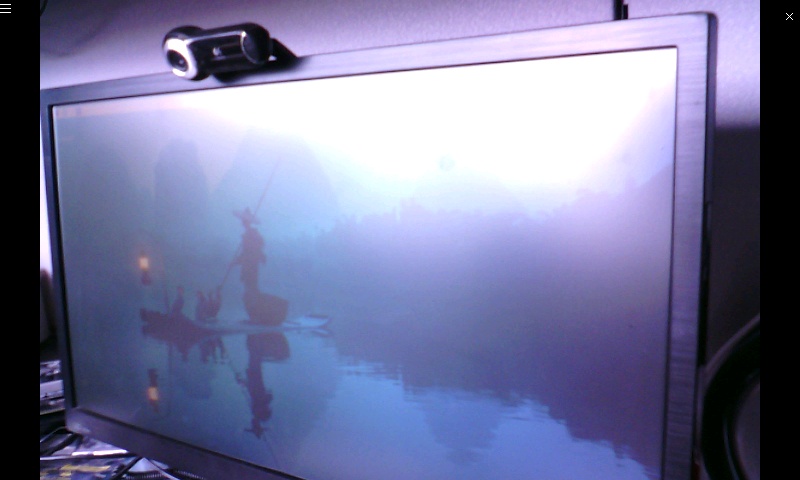
To go back to the Sensors page, tap on the close button in the top, right corner of the page. To change the sensor parameters, tap on the hamburger menu in the top, left corner of the page. This will open the settings screen described in the section below.
Other resolutions, up to 2592x1944 resolution, are attainable when reading the camera from a host computer.
Settings
The settings page is illustrated below:
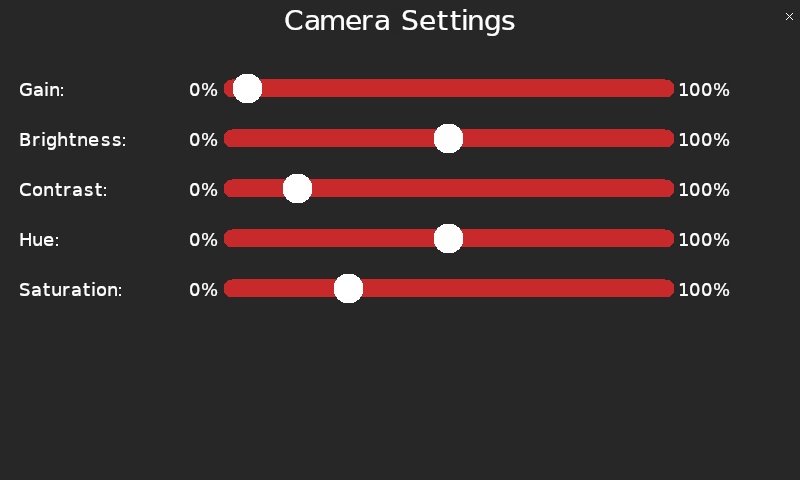
The analog gain of the camera may be controlled using the Gain parameter. Increase the gain for lower light conditions. A gain of 0% doesn't actually turn the camera off but actually refers to the minimum reasonable gain value, in this case.
The brightness of the camera image may be set using brightness option. A brightness of 0% will actually make the camera image entirely black while a brightness of 100% will make the image entirely white. The neutral value is 50% and should be used when no adjustment of the brightness is desired.
The Contrast setting determines the contrast of the image from the camera. A contrast of 0% will make it difficult to perceive the objects in the scene because the contrast will be very low. A contrast of 100% will look almost black and white because the contrast is so high. A contrast of 25% produces reasonable images.
The Hue parameter adjusts the hue of the image. The setting is expressed as a percentage but could also be regarded as an angle covering 360 degrees. Hence, 0% and 100% produce almost identical changes in the hue, while intermediate values show variation in hue. The neutral value is 50% and is recommended unless changes in the hue are desired.
The Saturation parameter adjusts the saturation of the image. This option may be regarded as controlling the depth of the colours in the image. A saturation of 0% will result in a grayscale image while a saturation of 100% will result in an image with very deep colours. A value around 25% to 50% produces reasonable images.
Tap the close button in the top, right of the page to apply the new settings and return to the camera feed.
Copyright ©2026 Quanser Inc. This page was generated 2026-05-13. Submit feedback to Quanser about this page.
Link to this page.